امارات. DOMAIN REGISTRATION
The .امارات extension is the Arabic-script country domain of the United Arab Emirates, letting your full web address read naturally in Arabic from start to finish. Learn how it works technically, who can register, which characters are allowed and how to use it alongside an English .ae name.
- Fully Arabic web addresses for UAE brands
- Open registration under current registry policy
- Pairs naturally with your English .ae name
What the Arabic .امارات Domain Is
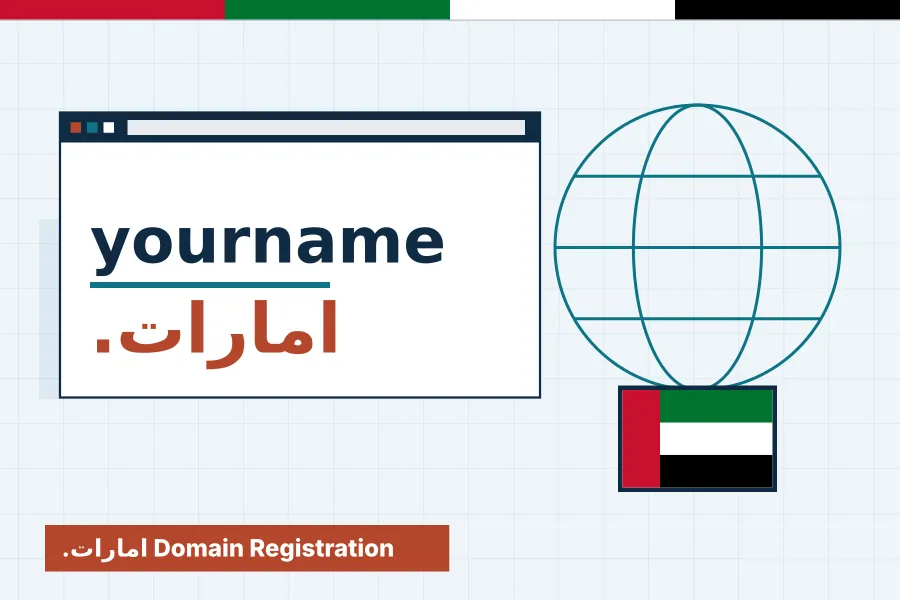
The word امارات, pronounced emarat, means Emirates, and it serves as the internationalised country code top-level domain (IDN ccTLD) of the UAE. It sits beside .ae as a second national extension, but with one key difference: the whole address, both the name and the ending, can be written in Arabic script. A visitor can type a name like مطعم.امارات without switching keyboard layouts.
The extension was approved through ICANN's IDN ccTLD Fast Track process and added to the DNS root in May 2010, making the UAE one of the first countries with a live Arabic country domain. A sunrise period for trademark holders followed later that year before wider availability.
Like .ae, it is operated by the .ae Domain Administration (.aeDA) within the Telecommunications and Digital Government Regulatory Authority. Registrations are made through accredited registrars, and aeRegister processes .امارات orders through accredited partners. For the Latin-script national extension and its zones, see our .ae registration page. The two extensions are designed to work together rather than compete.
How Arabic Domains Work: Punycode and xn--mgbaam7a8h
The global DNS was originally built for a limited set of Latin characters. To carry Arabic and other scripts, internationalised domain names are converted behind the scenes into an ASCII form called Punycode. The extension امارات becomes xn--mgbaam7a8h, and every Arabic second-level name is converted in the same way, beginning with the xn-- prefix.
You rarely see this conversion. Modern browsers display the Arabic form in the address bar, and DNS records, hosting control panels and SSL tools work with the Punycode version automatically. Occasionally a system shows the ASCII form instead, for example in a server log, an older email client or a security warning, so it is worth knowing both versions of your domain.
The practical rule is simple: keep a note of the Punycode equivalent and use it whenever a form, hosting panel or certificate request rejects Arabic characters. Our support team can generate it for any name you register. Free certificates from Let's Encrypt, issued through AutoSSL on our hosting, secure IDN domains just as they do Latin-script ones.
.امارات Eligibility and Registration Policy
Under the registry's dotEmarat domain name policy, names in the main zone are unrestricted. Any applicant may register, and no supporting documents are required beyond complete and accurate registrant information. Unlike .co.ae, there is currently no rule that the name must match a trade licence or trademark, though the registry can introduce restricted zones in future.
Openness does not mean anything goes. Every registrant warrants that they meet the policy, that the name does not infringe third-party rights, and that it will not be used to break UAE law. The .aeDA can revoke a licence for false warranties or policy breaches, and disputes over names can be raised under the registry's dispute resolution process.
A reserved names list also applies, covering certain government, geographic and sensitive terms that need authorisation. Names are allocated first come, first served once these checks pass. Registration terms run from one to five years. Because registry policy can be revised, we confirm the current requirements when you place an order and explain any special conditions attached to your chosen name.
Arabic Character Rules and Variant Names
The registry accepts Arabic letters from its approved character table, Arabic-Indic digits, the Western digits zero to nine and the hyphen. A name cannot begin with a digit, cannot mix Arabic-Indic and Western digits in the same label, and cannot contain spaces. As with Latin domains, a hyphen may not appear at the start or end, or in both the third and fourth positions.
Arabic has letters that look or sound alike, and users may type them differently. To prevent confusion, the policy uses variants. Digit equivalents are activated automatically at registration, so a name written with one style of numerals also works with the other. Certain letter variants, such as the different forms of alef, heh and teh marbuta, or yeh and alef maksura, are blocked by default and can be activated on request through your registrar.
Up to five variants can be active for a name, and they always stay with the primary domain; they cannot be transferred or managed separately. Ask us which variants of your chosen name are worth activating, especially if customers spell it in more than one way.
Email and Universal Acceptance on an Arabic Domain
Websites on .امارات work well in current browsers, but email is a different story. Fully internationalised email addresses, known as EAI, depend on support from both the sender's and recipient's mail systems. Many large providers have added support, yet plenty of business software, web forms and older servers still reject non-ASCII addresses or show them as Punycode.
This gap is the focus of Universal Acceptance, a global effort to make every application handle all domain names and email addresses correctly. Progress is steady, but for now most UAE organisations use their Arabic domain for the website and marketing, while keeping day-to-day email on a Latin-script address such as one on .ae.
That combination gives customers an Arabic address they can read and remember, without risking undelivered invoices or quotes. If you do want to experiment with Arabic email, test thoroughly with the services your customers use before relying on it. Our web hosting plans host the site on the Arabic domain while email runs reliably on your Latin-script name.
.امارات domain price and order
Annual pricing for this extension. Search above or start your order below.
USD prices update automatically from our order system. AED prices for Middle East extensions are per year and are confirmed when the registry accepts your documents.
Who Benefits Most From a .امارات Address
Any organisation connected with the Emirates can use the Arabic extension, but some gain more than others. These are the groups for whom an Arabic web address tends to make the strongest impression on customers, citizens and residents who browse primarily in Arabic.
Arabic-First Consumer Brands
Restaurants, perfume houses, abaya boutiques and family businesses whose customers think and search in Arabic can show their name exactly as it appears on the shopfront. An address that matches the signage removes the awkward step of guessing an English transliteration.
Cultural and Heritage Projects
Museums, poetry initiatives, heritage festivals and Arabic-language publishers often want an online identity that reflects their mission. A fully Arabic address reinforces that commitment and is easy to share across Arabic social media, print and broadcast.
Public Campaigns and Community Services
Awareness campaigns, national celebrations and community programmes reach wider audiences when the web address is in the same language as the message. Arabic domains read naturally on billboards, buses and television without a Latin string interrupting the design.
Brands Protecting Their Arabic Name
Companies with an established Arabic trading name can secure its .امارات form to stop others using it. Even if the main website stays on .ae or .com, redirecting the Arabic domain captures visitors who type the name in their own script.
Government-Linked and Semi-Government Entities
Bodies that publish primarily in Arabic for citizens may find an Arabic address a natural complement to their official domain. As with any sensitive term, names connected to government functions can sit on the reserved list, so authorisation may be needed before registration.
.امارات and .ae Compared
Both extensions belong to the UAE and are run by the same registry, but they serve different needs. This comparison helps you decide whether to register one, the other or both, based on how your audience types and how you plan to use email.
| .امارات | .ae | |
|---|---|---|
| Script | Arabic letters and digits | Latin letters a to z and digits |
| Typical eligibility | Open, no documents currently | Open at second level; zones restricted |
| Email compatibility | Limited by EAI support | Works with every mail system |
| Typing on Arabic keyboards | Natural, no layout switch | Requires switching to Latin layout |
| Recommended role | Arabic marketing and brand protection | Primary site and business email |
Registering Your Arabic .امارات Name Step by Step
Ordering an Arabic domain is straightforward, but a few extra checks help avoid spelling and display problems later. Follow these steps to choose a name that works for customers and functions correctly across browsers and devices.
Agree the Exact Arabic Spelling
Decide on the precise spelling with your team, including whether to use hamza forms, taa marbuta or alef maksura. Small differences change the Punycode and the domain itself, so settle this before searching rather than after payment.
Search and Check Variants
Search the name through our domain search and note which variant spellings might also be typed by customers. Ask our team which variants can be activated with the primary name and which would need a separate registration.
Order and Confirm Details
Complete the order with accurate registrant information, which the policy requires even without documents. We confirm the Punycode form with you in the order ticket, so both versions of the name are on record from the start.
Point It to Your Website
Connect the domain to hosting or redirect it to your main site. Hosting panels may show the Punycode form; that is normal. Issue an SSL certificate and test the address on mobile and desktop browsers to confirm the Arabic form displays correctly.
Promote Both Scripts Together
On printed material, show the Arabic address beside your English .ae name so each audience reads the one that suits them. Consistent use across signage, packaging and social profiles teaches customers that both addresses lead to the same trusted business.
Technical Checklist for an Arabic Domain Website
A few technical details make the difference between an Arabic domain that simply resolves and one that feels polished. Run through these points after setup, and again whenever you redesign the site or change hosting provider.
Right-to-Left Page Layout
Set the page direction to right-to-left and the language to Arabic in your HTML. Menus, forms and icons should mirror correctly, so the experience matches the Arabic address that brought the visitor to your site in the first place.
Canonical and Hreflang Tags
If the Arabic domain shares content with an English site, mark the language versions with hreflang and set canonical URLs carefully. That stops search engines treating the two domains as duplicates and helps each rank for the right audience.
Analytics and Search Console Setup
Add the domain to Google Search Console using its Punycode or Arabic form as the tool allows, and make sure analytics filters recognise it. Otherwise traffic from the Arabic address may appear under an unfamiliar ASCII name in reports.
Test Sharing Previews
Paste the address into WhatsApp, X and other apps your customers use. Check that link previews show the Arabic form and the correct title and image. Some apps display Punycode, which is another reason to keep your brand clear in page titles.
Arabic Web Fonts and Readability
Choose a well-designed Arabic web font, load it efficiently and check line height on small screens. Poor font rendering undermines the premium feel of an Arabic address and can hurt Core Web Vitals if the font files are large.
Redirects Between Scripts
If the Arabic domain is mainly for brand protection, use a permanent 301 redirect to the relevant language section of your main site. Test it in several browsers, because a misconfigured redirect involving IDNs can loop or show a certificate warning.
.امارات domains: questions and answers
How do I type a .امارات domain on my phone?
Switch your keyboard to Arabic and type the name, a dot and then امارات, exactly as you would type any Arabic word. Most phones and browsers handle this automatically. If an app refuses the input, the Punycode form beginning with xn-- will always work as a fallback. Desktop users can add an Arabic layout in system settings.
Do I need a UAE trade licence for a .امارات domain?
Not under the current policy. Names in the main .امارات zone are unrestricted, so no trade licence, trademark or other documents are required, only accurate registrant details. The registry can introduce restricted zones in future, and we confirm the live rules at the time of your order. Policies are reviewed at every order.
Will Google index a website on an Arabic domain?
Yes. Search engines crawl and index internationalised domains like any other, and Arabic words in the address are understood. Rankings still depend on content quality, links and page experience. Use proper Arabic page titles, right-to-left layout and hreflang where needed so search engines understand the site. Arabic content written for people performs best.
Can I use an Arabic email address like info@ on .امارات?
Technically yes, but many mail systems still struggle with internationalised addresses, so messages may bounce or display as Punycode. Most businesses keep their main email on a Latin-script domain such as .ae and use the Arabic domain for the website. Test carefully before relying on Arabic email for customers. A Latin-script fallback keeps communication reliable.
What does xn--mgbaam7a8h mean?
It is the Punycode form of امارات, the ASCII version that the DNS uses behind the scenes. Every Arabic domain has an equivalent like this. You may see it in hosting panels, certificates or logs, but visitors normally see only the Arabic version in their browser address bar. Keeping a note of it helps with hosting setup.
Can I register both مطعم.امارات and a variant spelling?
Some spellings are treated as variants of the same name. Digit forms activate automatically, and certain letter variants can be activated on request, up to a limit set by the policy. Spellings that are not recognised variants need separate registrations. Our team can check your chosen name before you order. That check costs nothing and avoids mistakes.
How long can I register a .امارات domain for?
Registrations run for between one and five years, the same range as .ae. You can renew before expiry to extend the term, within that maximum. Turning on auto-renew with a saved payment method is the simplest way to make sure your Arabic name never lapses unexpectedly. Longer terms reduce renewal admin.
Does an SSL certificate work on an Arabic domain?
Yes. Certificates are issued for the Punycode form, and browsers display the padlock while showing the Arabic address. Free certificates from Let's Encrypt support internationalised names, and AutoSSL on our hosting installs them automatically once the domain points to your hosting account and DNS has propagated. No extra setup is required on your part.
Secure Your Arabic .امارات Domain
Search for your Arabic brand name, confirm the spelling and variants with our team, and register it alongside your English .ae name so customers find you in either script. Our team is available by ticket and email for any questions.